Simplifying complex leases
across international markets.
Leading end-to-end UX design for lease creation, master agreement tracking, and tenant management across Walmart’s international real estate operations.
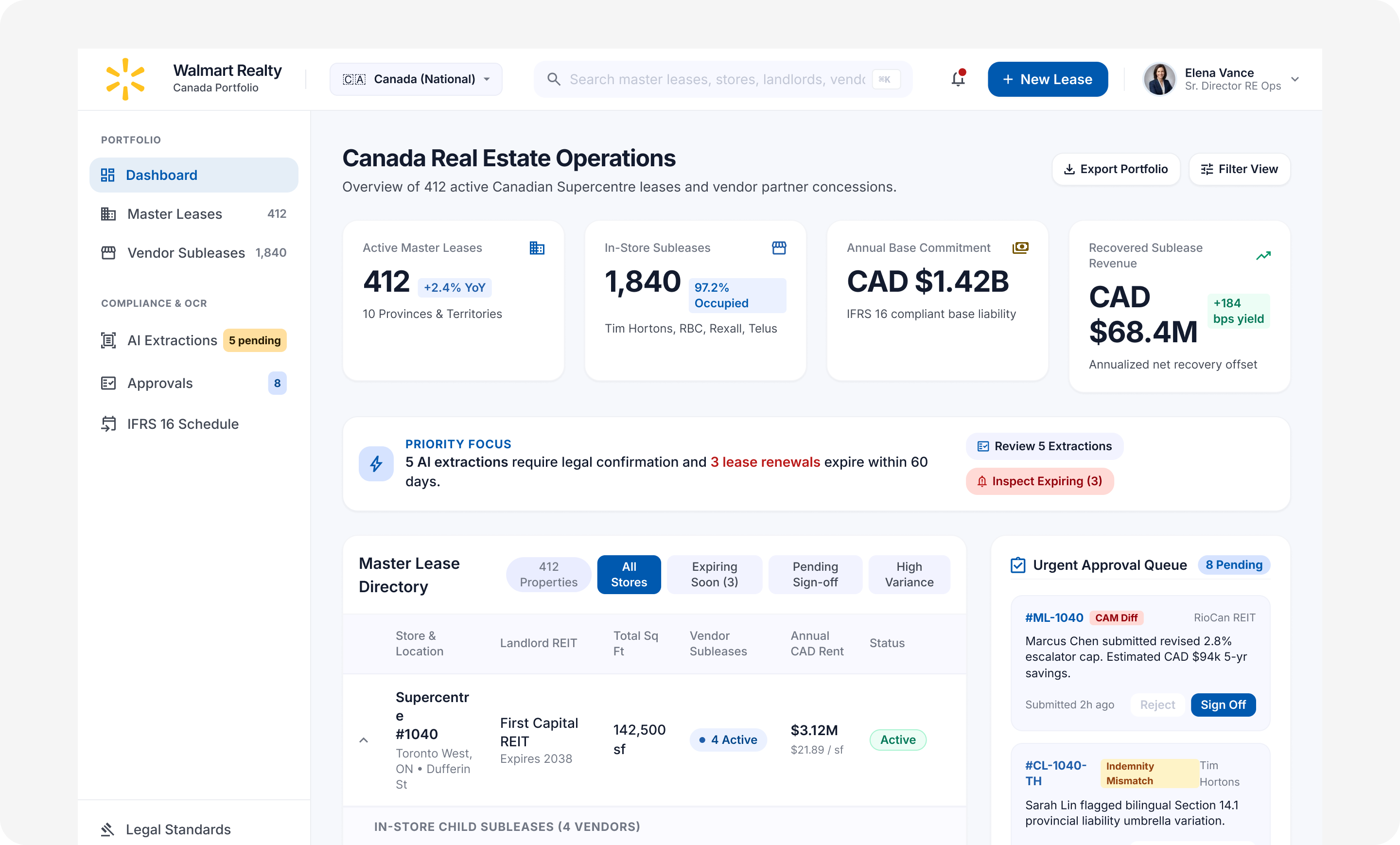
Manual abstraction without a standardized workflow or review process.
Walmart’s real estate agents manage complex lease agreements across international markets. Walmart signs contracts with landlords to lease new store spaces and subleases in-store retail space to vendors.
Each abstract includes more than ten clause categories: rent, default, security deposits, options, rights, allowances, OPEX, insurance, taxes, parking, co-tenancy, green lease terms, responsibilities, other clauses and payment schedules, plus client attributes and history.
Walmart’s existing TRIRIGA implementation required agents to manually extract information from scanned lease agreements and enter it into the system. This time-consuming, error-prone process lacked standardized workflows for creating master agreements and child leases. There was also no structured review process between junior and senior agents before final submission. In this implementation, a dated interface, difficult human–system interactions, limited customization, and cluttered navigation made it harder for agents to find information and work efficiently.
What the redesign needed to address
- The effort and error risk of transferring information from scanned agreements into structured lease records.
- Inconsistent creation workflows for master agreements and child leases.
- Dated interaction patterns, cluttered navigation, and limited customization in the existing TRIRIGA implementation.
- The absence of a defined junior-to-senior review handoff before final submission.
I used interviews, observation of abstractors’ work, and usability testing. Interviews and observation helped identify where abstraction slowed down. Usability testing was part of the project, and detailed session records and retest results are unavailable.
What interviews and observation surfaced
- Manual transcription created repeated work. Abstractors read signed lease documents and entered details in TRIRIGA across more than ten clause categories. This made missed or mistyped values a risk.
- Cluttered navigation made information hard to find. Agents needed clearer entry points for lease abstracts, master agreements and child leases, invoice batches, and work awaiting approval.
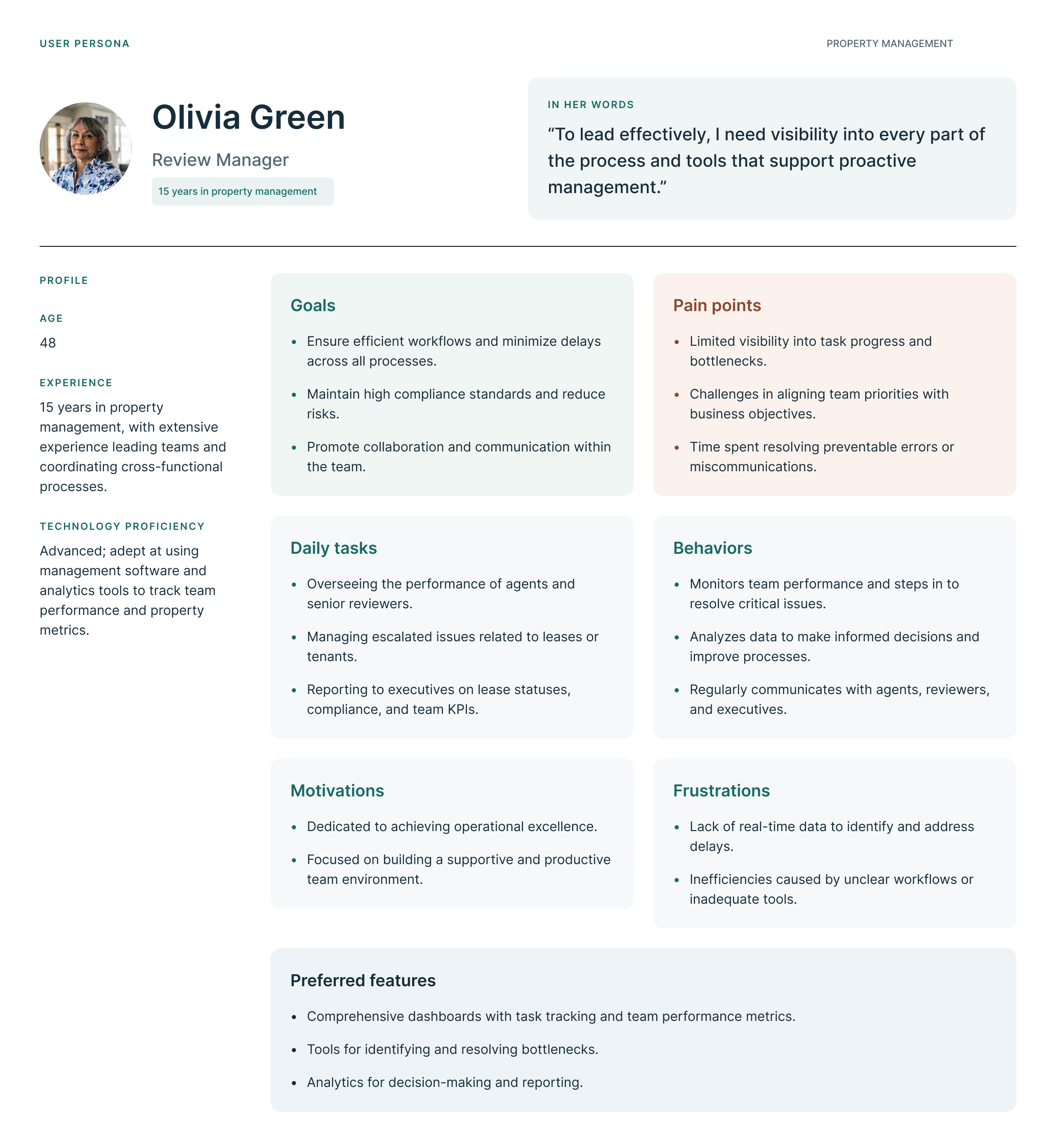
- Lease relationships and review responsibilities were hard to track. The existing workflow lacked a standard way to create linked master and child leases and a structured handoff from junior to senior agents before submission.
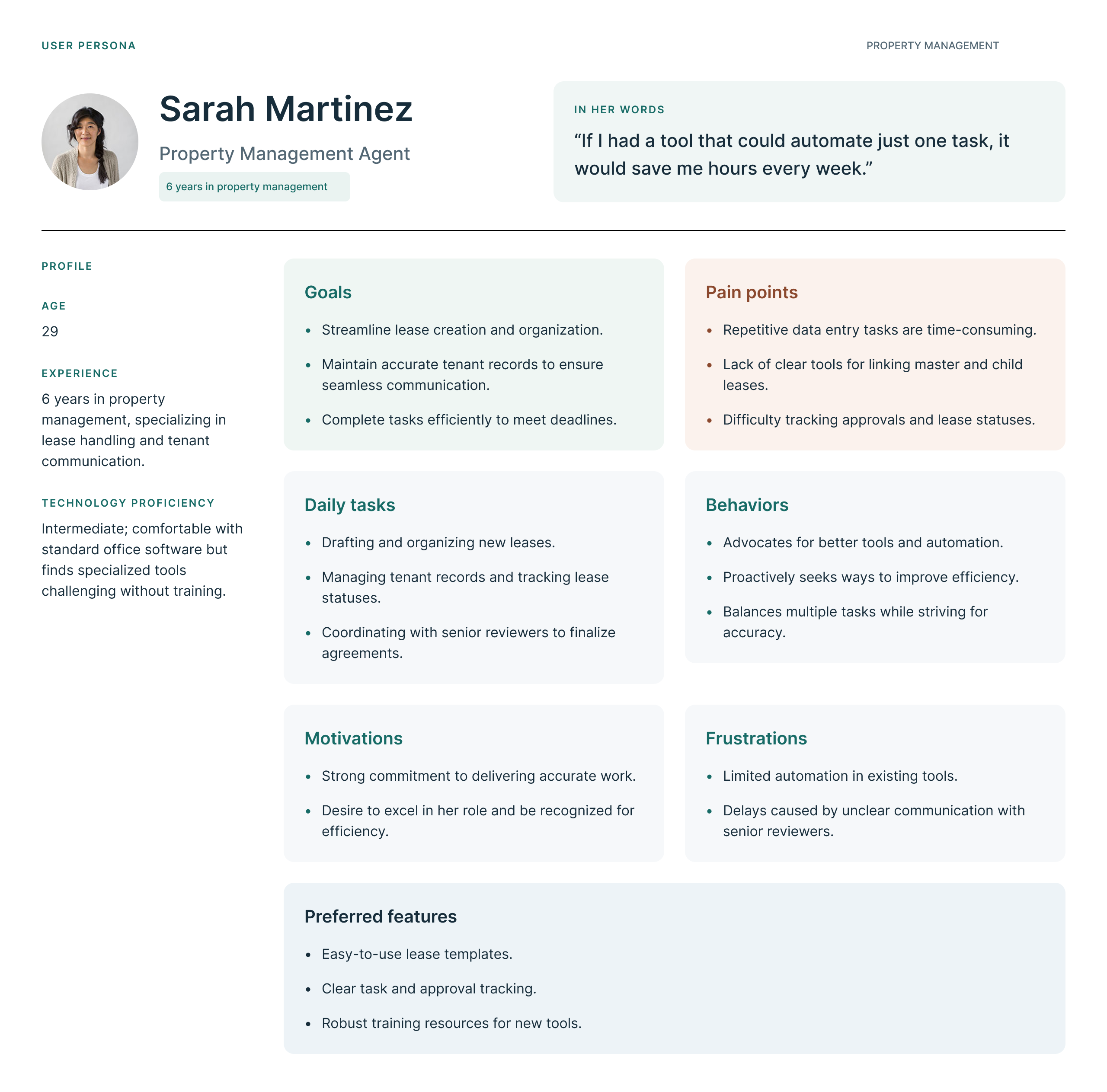
User personas
Hands-on ownership, with clear design boundaries.
As the UX Designer, I led the end-to-end design effort to simplify lease creation, master agreement tracking, and tenant management. I was the sole designer, working with two developers, two testers, and one PM. The design goals were to reduce data-entry errors and improve collaboration; navigation and dashboard improvements formed part of that broader effort.
Historical design changes
The historical screens document these design changes. Session records are unavailable to connect individual changes to a specific usability test or to verify their effect.
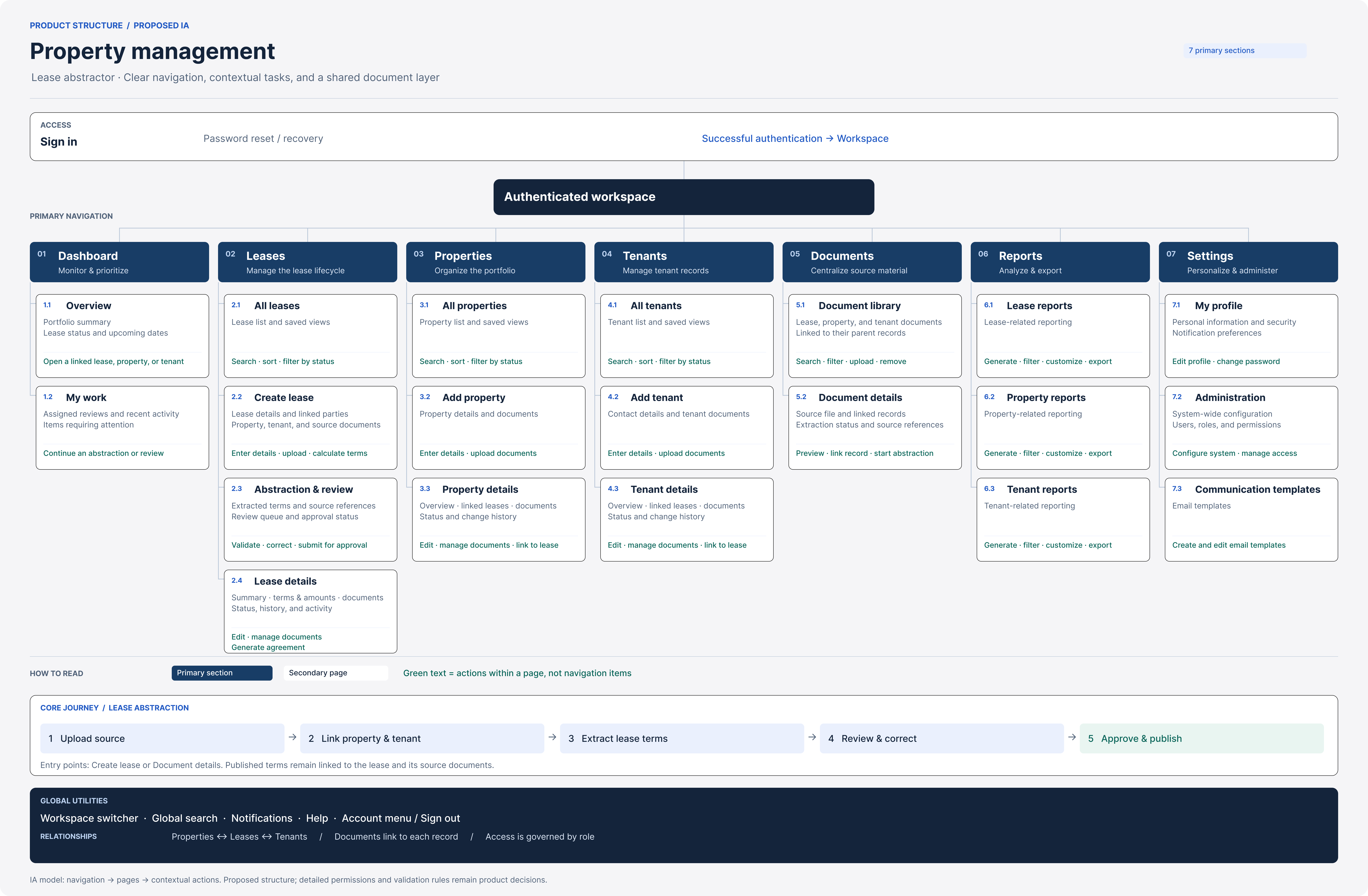
Proposed information architecture
New exploration: prioritize the abstractor’s work queue
The design exploration focuses on the lease-abstraction journey: overview, searchable abstract list, and clause entry. Persistent navigation keeps the route visible. This narrows the screen to one role; other product areas would need validation before being reorganized.
New exploration: keep clause navigation beside the form
A visible clause list provides direct access to categories during entry. Draft saving and a next-section action support continuity. These proposed behaviors have not been tested with users and do not establish a reduction in typing.
Validating a clearer path through lease abstraction.
Lease Management dashboard user flow
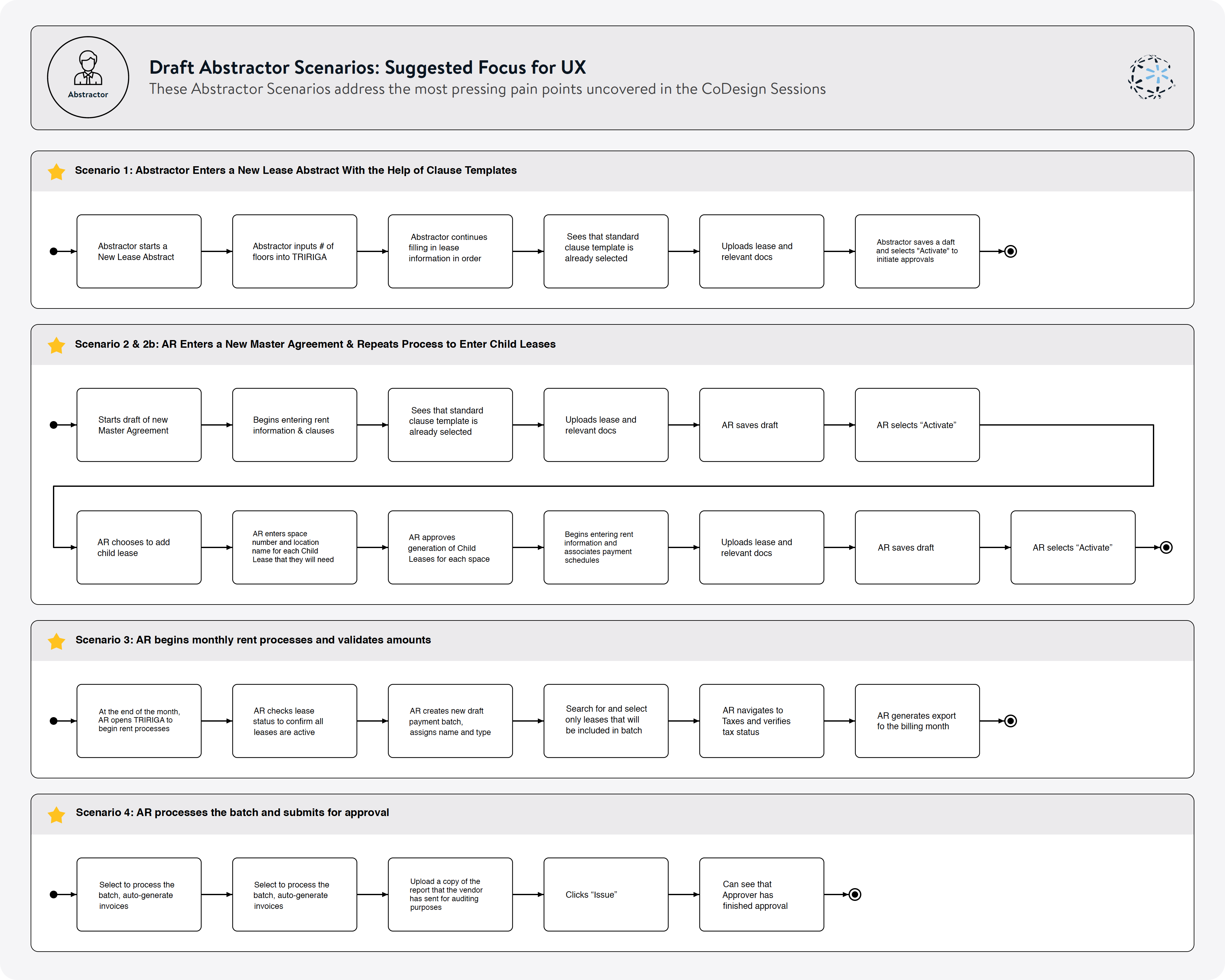
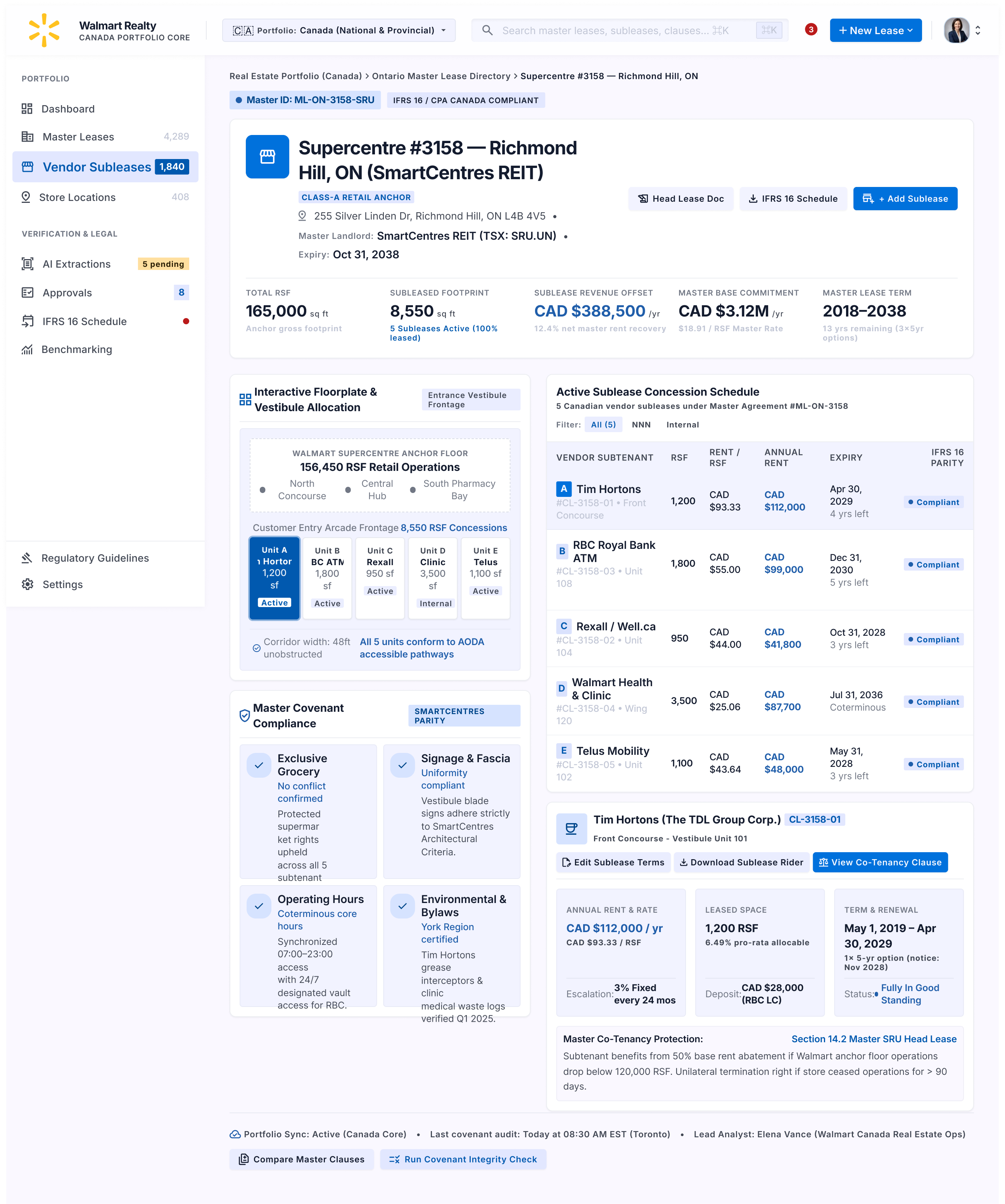
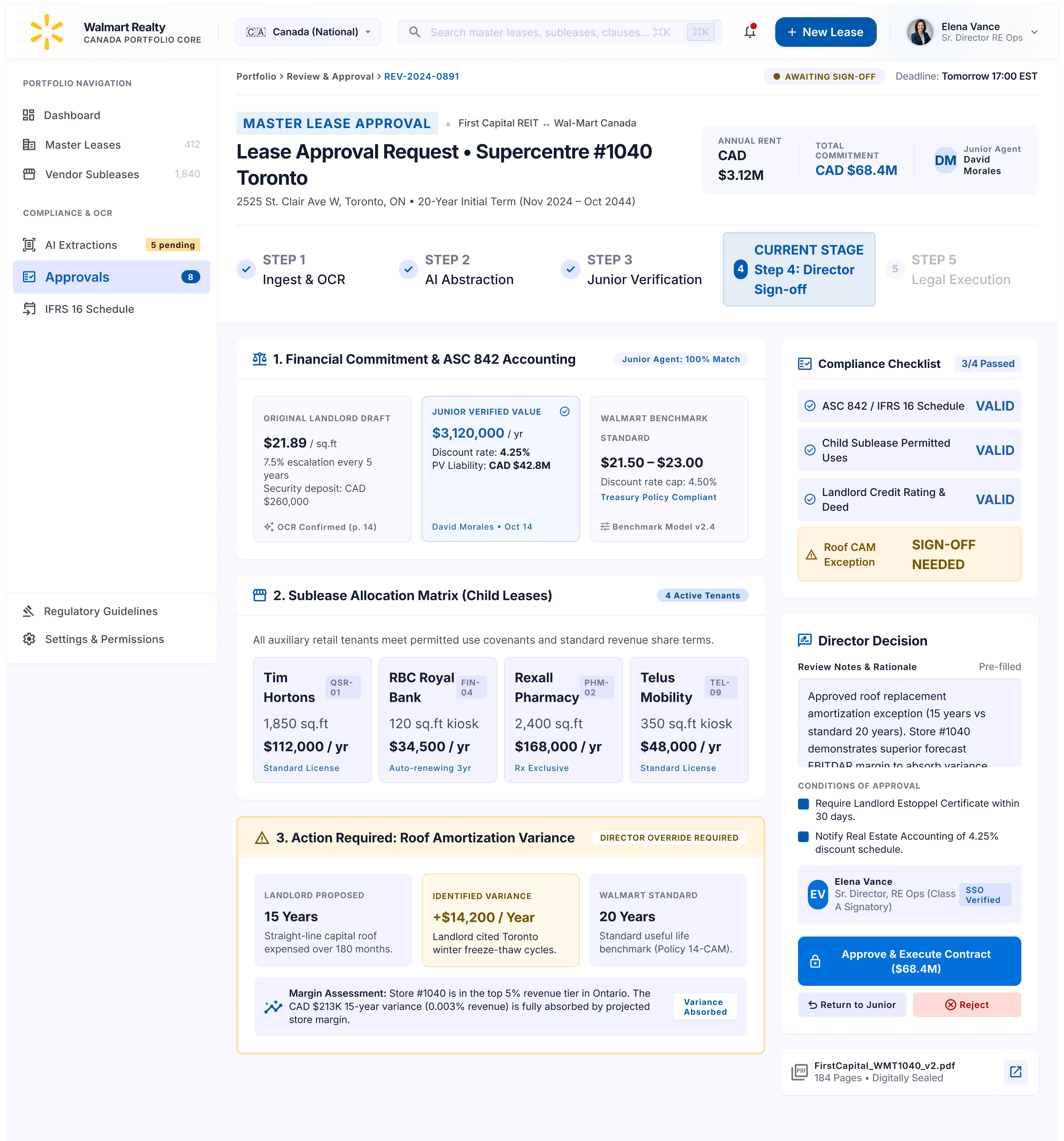
The lease workflow in five screens
These design explorations show how an abstractor could create, verify, and hand off a lease for approval. The figures and confidence scores shown illustrate the interface.
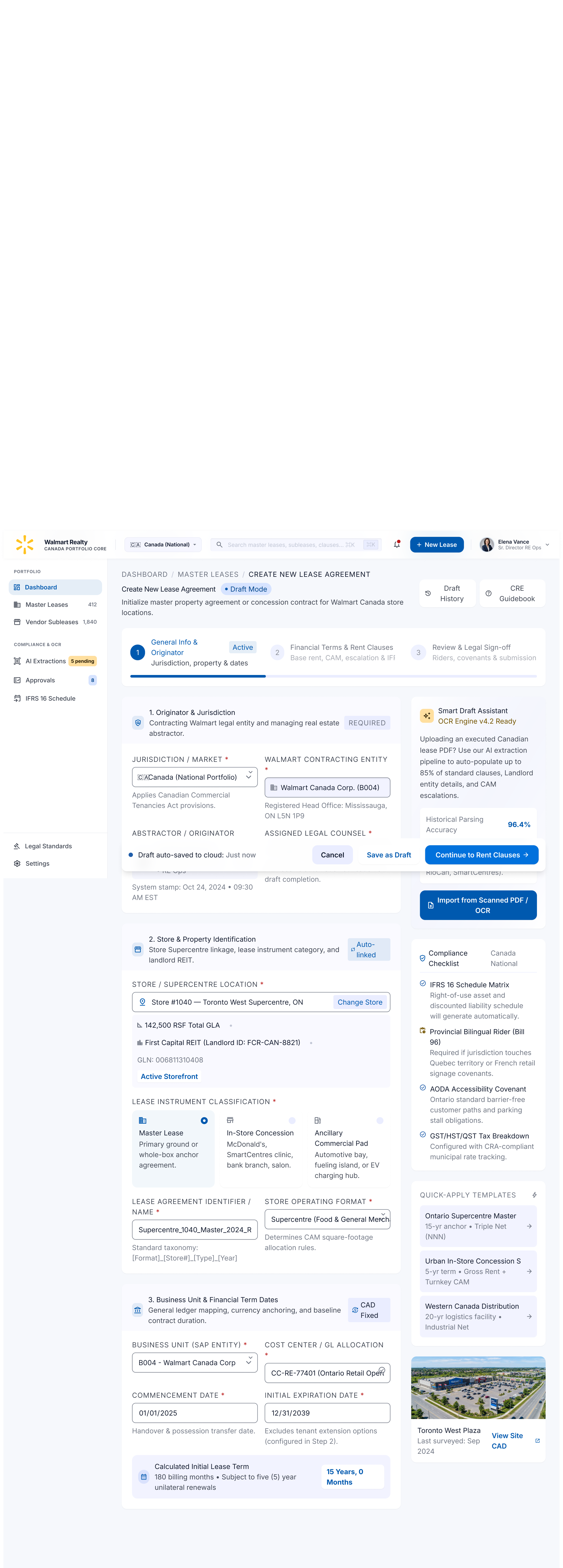
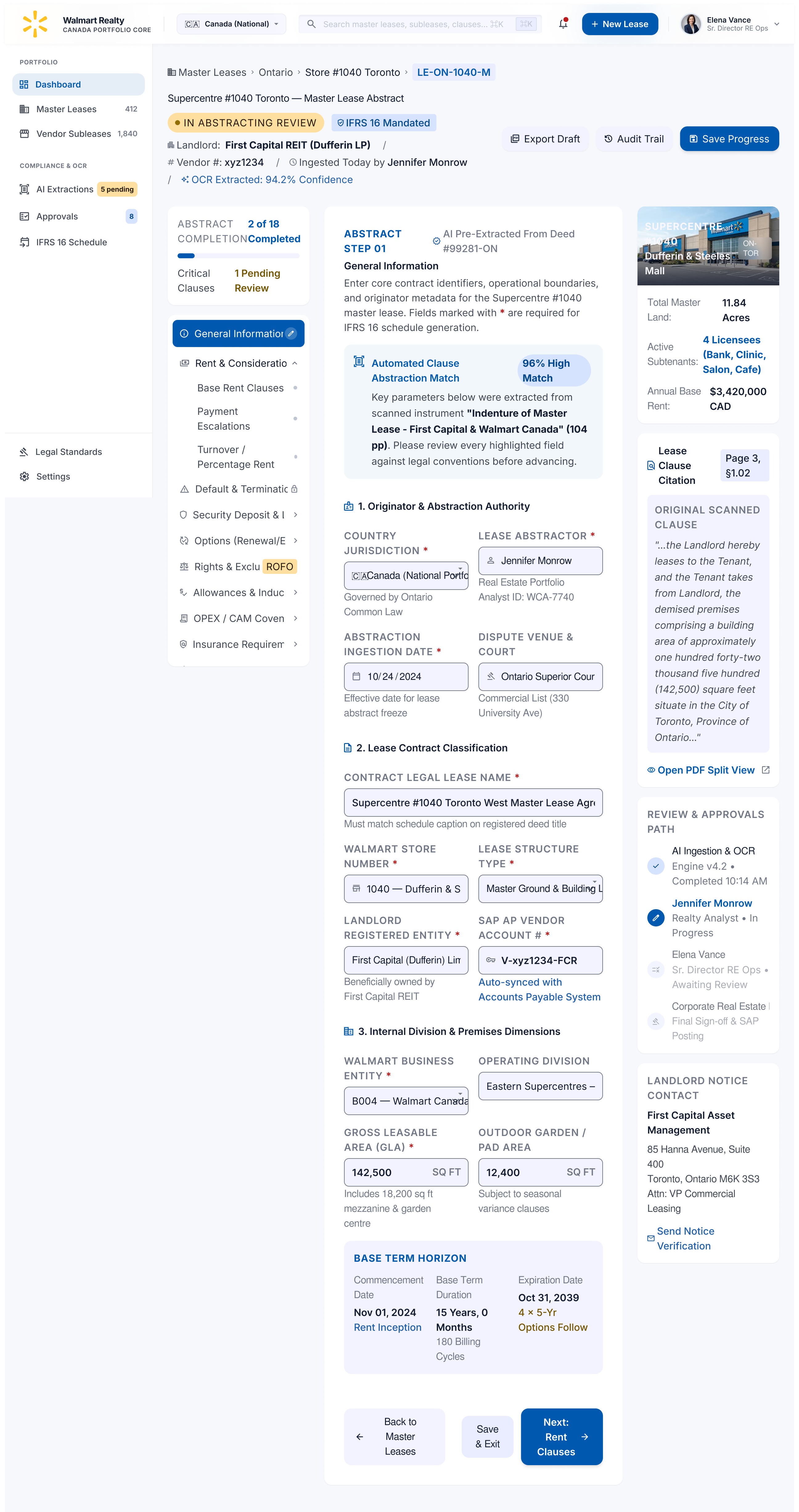
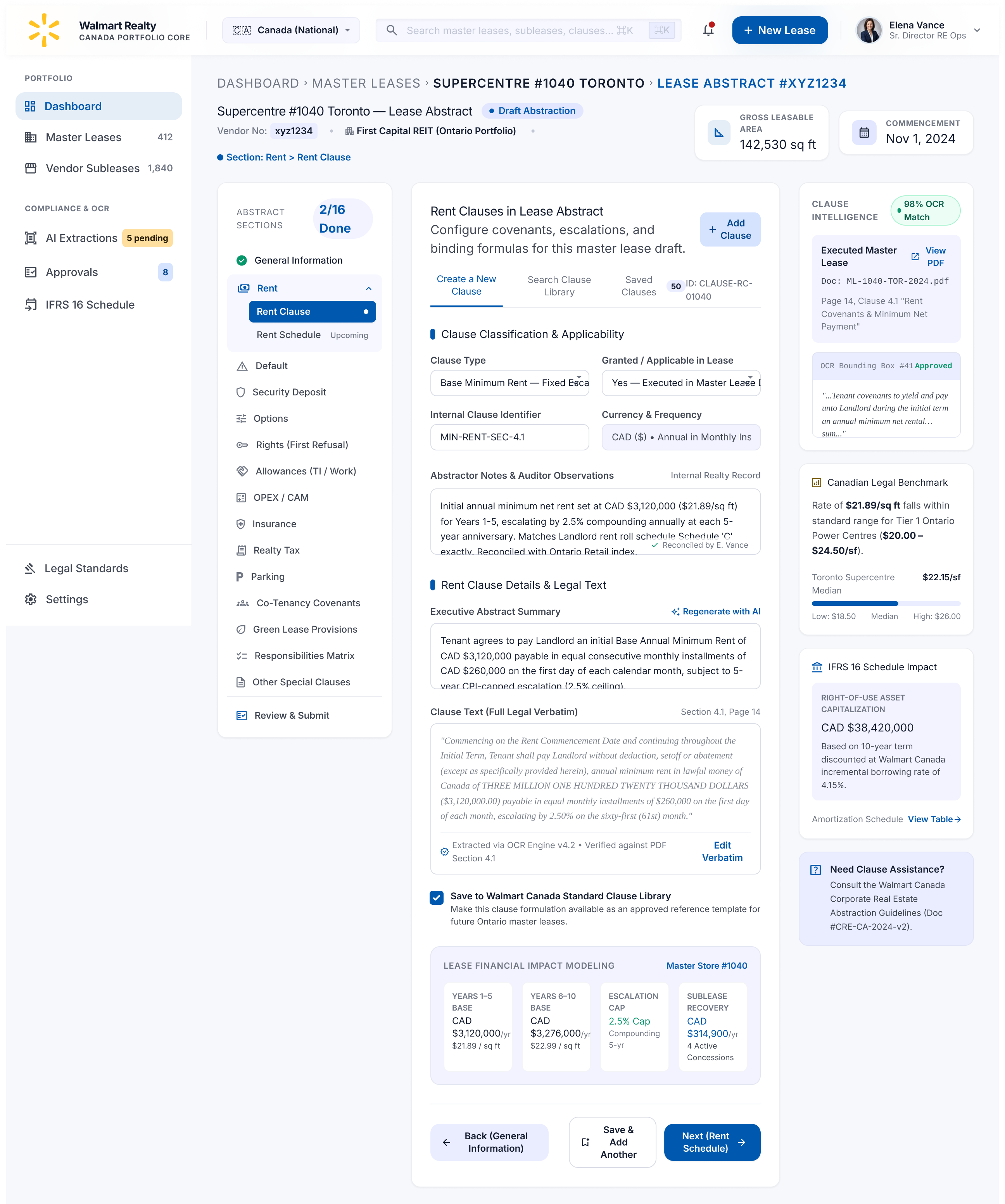
Design contribution and evidence status.
My contribution covered end-to-end UX design for lease creation, master agreement tracking, and tenant management, informed by interviews, observation, and usability testing. Reduced errors and improved collaboration are design goals; current release status and measured outcomes have not yet been supplied.
The exploration proposes searchable records, status filtering, clause switching, and draft feedback.
Connect information entry with the wider lease relationship.
The experience needs to support both detailed abstraction and the wider relationship between landlord contracts, vendor subleases, master agreements, and child leases. Clear navigation and reuse can address parts of the workload, but their effect on errors and collaboration needs validation.
Next steps
- Retest navigation and clause reuse. Ask abstractors to find an incomplete lease, resume it, and reuse a rent clause without overwriting the original. Record completion, backtracking, and corrections.
- Test the review handoff. Ask an abstractor to submit an exception and a senior reviewer to return it with a correction request. Check whether each person can tell who owns the next action and what needs to change.
- Establish a comparison baseline. Confirm what shipped and compare the same tasks in the existing workflow and the proposed design. Track entry errors, rework, and time on task before reporting impact.